- Home
- >
- Help Center
- >
- Account Management
- >
- 3plains App
3plains App
How to add the 3plains App to your iPhone or iPad home screen.
1. Scan QR Code

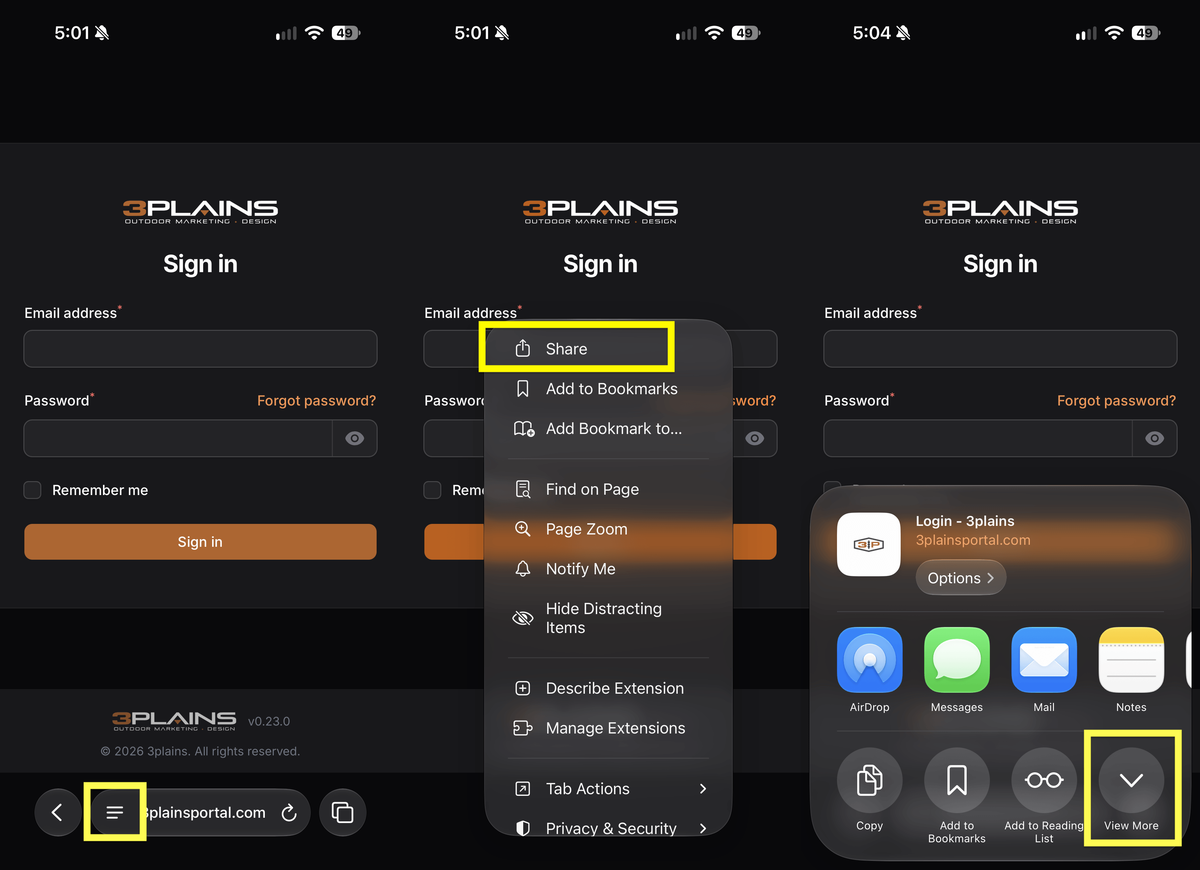
2. Click the "Page Menu" button in the address bar
3. Click Share Link
4. Click the View More Button
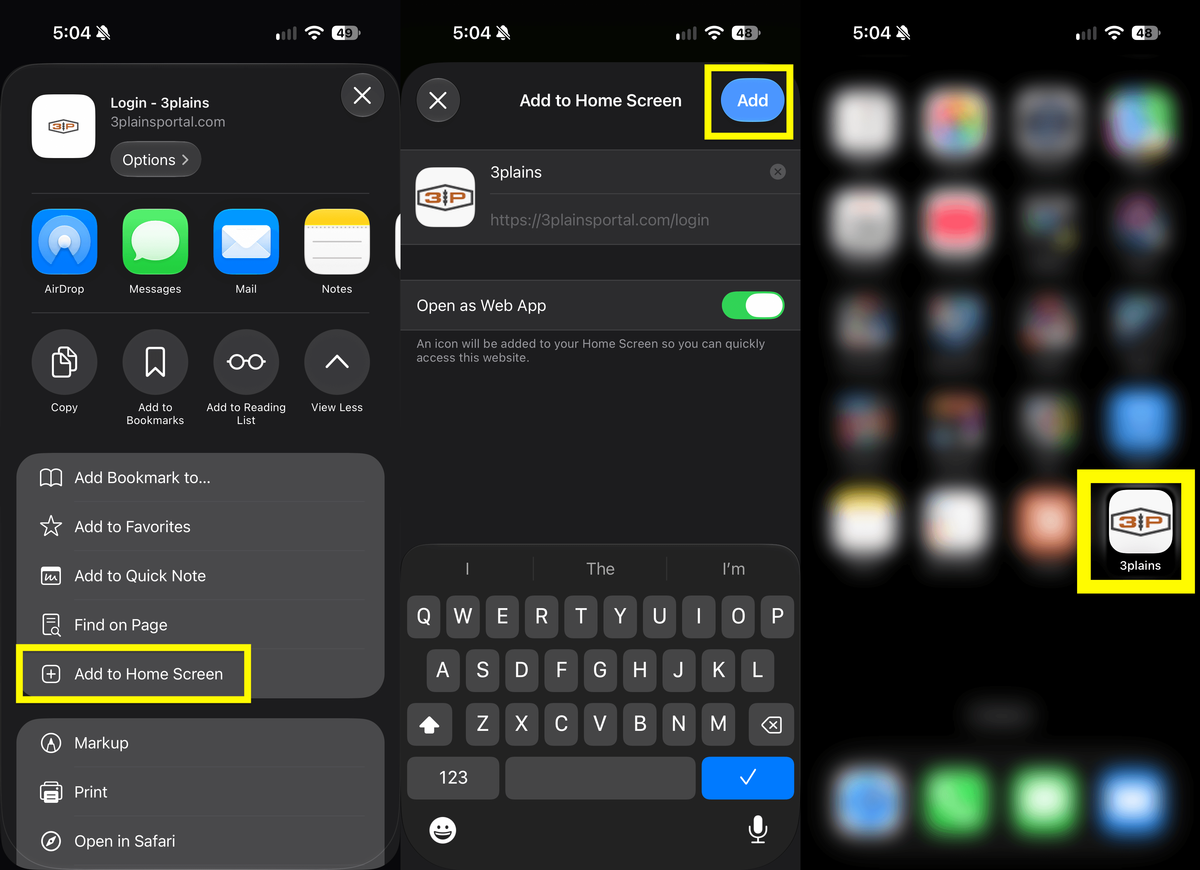
5. Click "Add to Home Screen"
6. Click Add button (We recommend changing the text from "Login - 3plains" to just "3plains")
7. The 3plains App is now added to your iPhone home screen
Still need help or don't want to DIY?
We have maintenance service and website update packages available. Please fill out a ticket and a 3plains representative will reach out to you with details on pricing and packages.
Last Updated: 2026-11-24
Back to Account Management