- Home
- >
- Help Center
- >
- Domains
- >
- GoDaddy Domain Manager
GoDaddy Domain Manager
To add 3plains as a GoDaddy Domain Manager (GoDaddy Delegate Access), it's a simple 2 step process.
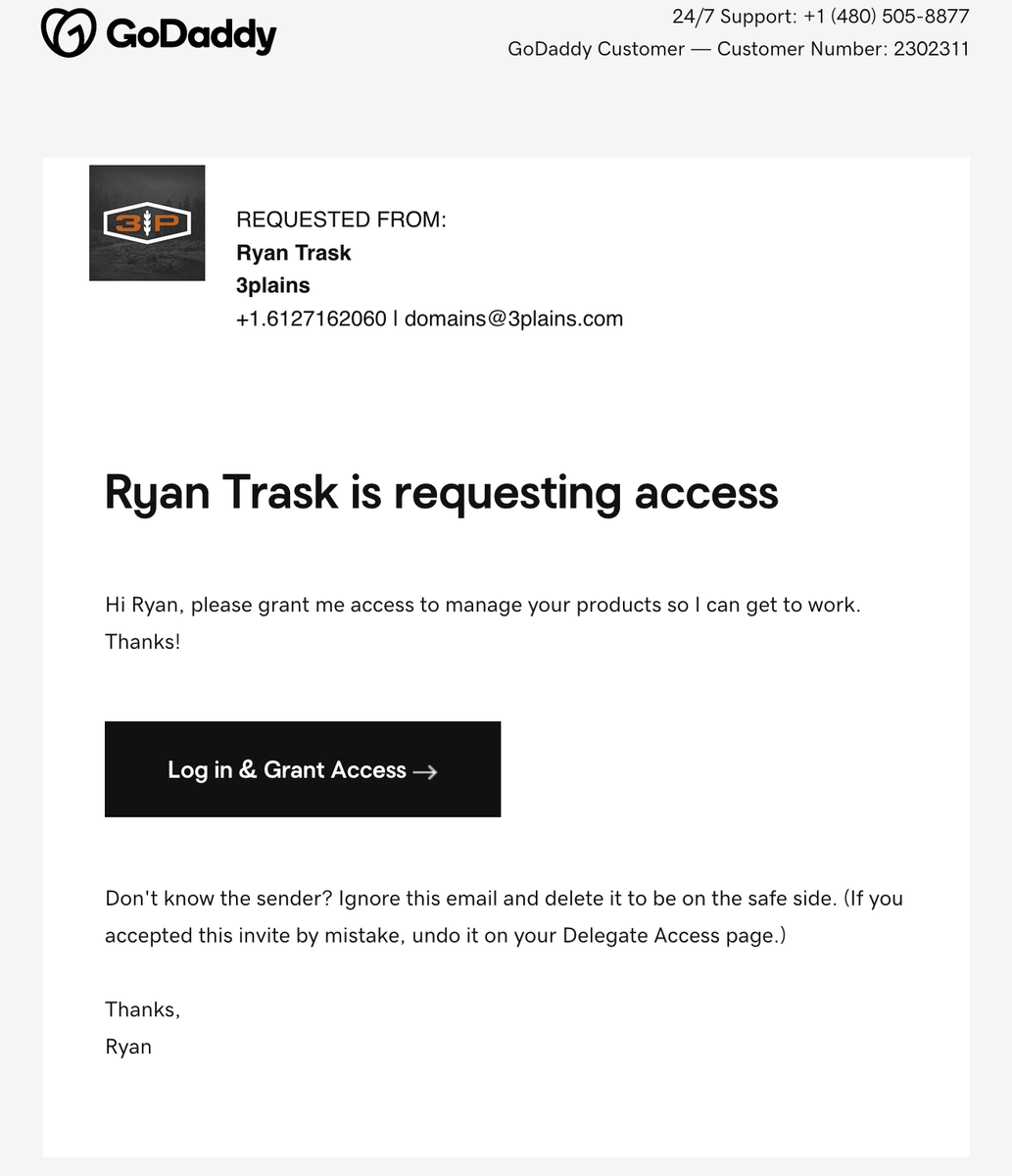
1. We will send you a Godaddy request access like this. Click the button in the email and login.
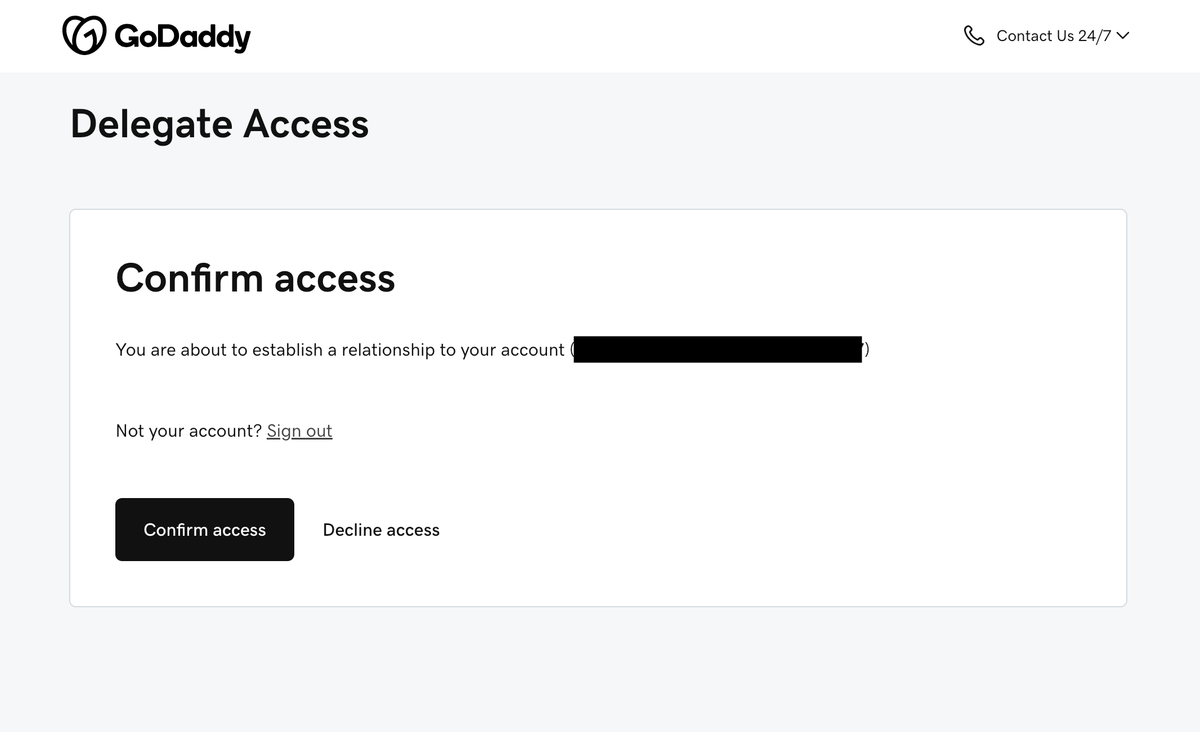
2. After logging in, you will see a "confirm access" button - click that button and the process is completed.
Alternative Method
If you would initate the request yourself, follow these instructions.
- Go to your Godaddy.com Account then login with your username and password.
- Go to Account Settings > then go to Delegate Access
- Under the section "People who can access my account" click "+ Invite To Access".
- Then Click on +Grant Access to 3plains and the email domains@3plains.com
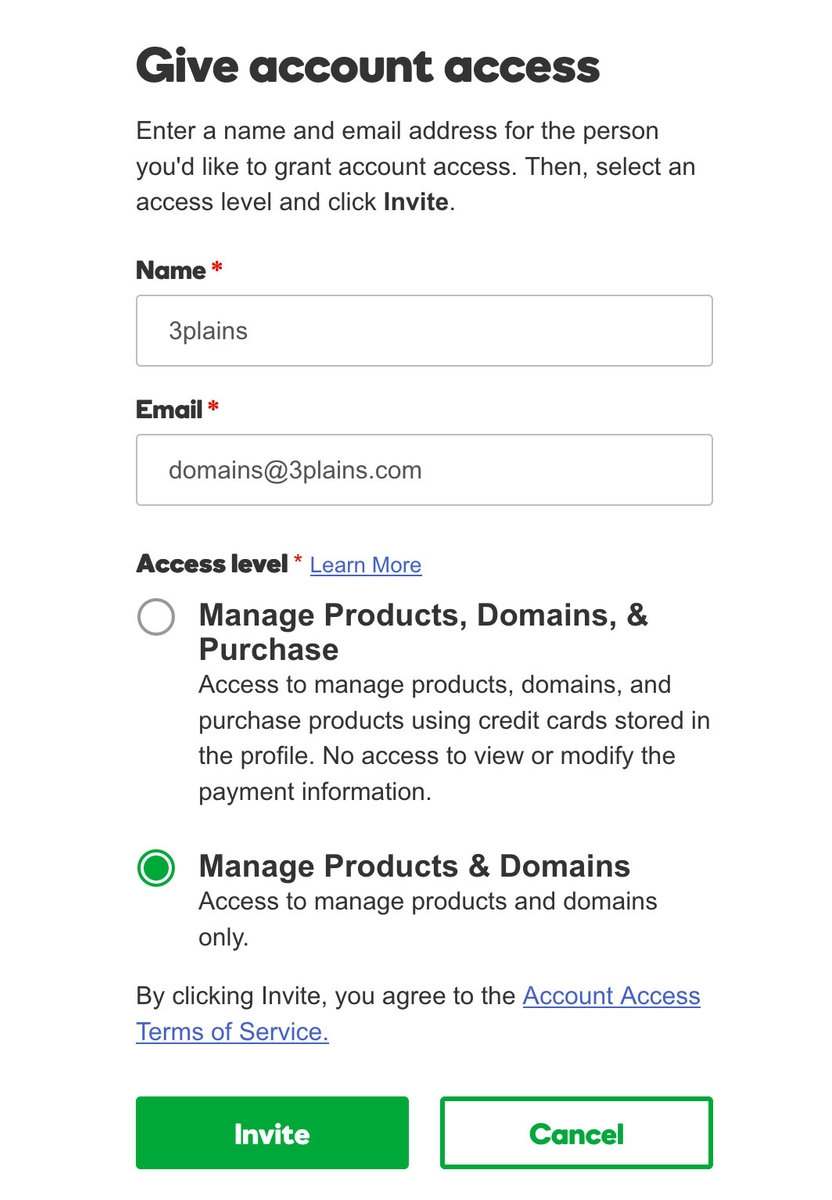
- Fill out the info like the below screenshot.
What is Godaddy Delegate Access? Delegate access is a powerful feature that allows you to invite others to access your GoDaddy account without sharing your login credentials or financial details. As a business owner, you can give third-party vendors access to your domain(s) while limiting what they can see and do in your account. This is especially handy when working with web developers or IT professionals.
Still need help or don't want to DIY?
We have maintenance service and website update packages available. Please fill out a ticket and a 3plains representative will reach out to you with details on pricing and packages.
Last Updated: 2026-09-10
Back to Domains