- Home
- >
- Help Center
- >
- >
- Google Workspace Email Setup
Google Workspace Email Setup
Your Google Workspace email is all setup.
To Start:
- We have already setup your email at Google Workspace and entered your credit card into Google. You are the owner of your Google account. 3plains is setup as a Google Cloud Identity Administrator (an administrator that is not a paid account but can handle things on the account if you need it).
- Billing - you will be responsible for the billing and keeping a credit card current with Google.
- We have also tested youremail@yourdomainname.com and setup a basic signature for you.
Login:
Start by logging in on your computer at https://mail.google.com/ Google Workspace will ask you to reset your password when you login.
- Username: youremail@yourdomainname.com
- Password: ***use the password we sent you***
- Security/Backup: We have entered your backup email and cell phone
How to Login:
- On Your Computer - Google Mail Access Login https://mail.google.com/. How you check your email on web browser - Your backup email and phone is setup in the Google account in case you forget your password or get locked out.
- On Your iPhone - To setup email on your iPhone, use the Gmail App or the native iPhone App. To Setup go to Settings > Mail > Accounts > Add Account > Google > enter your username/password and follow the rest of the instructions.
Admin:
- What is a Super Admin? Super Admin can - Manage billing, add more users, etc.
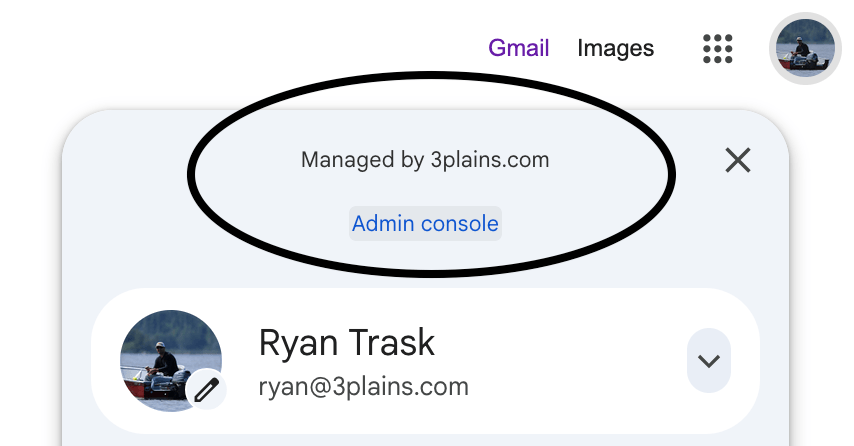
- How to login as a Super Admin? When logged into Google, you will see a "Managed by yourdomainname.com" in the upper right corner. View image below.
Still need help or don't want to DIY?
We have maintenance service and website update packages available. Please fill out a ticket and a 3plains representative will reach out to you with details on pricing and packages.
Last Updated: 2026-09-09
Back to Email