- Home
- >
- Help Center
- >
- Domains
- >
- Squarespace Domain Manager
Squarespace Domain Manager
To add 3plains as a Squarespace Domain manager, follow the instructions below.
- Open you domains dashboard or click here https://domains.squarespace.com/
- Click your domain.
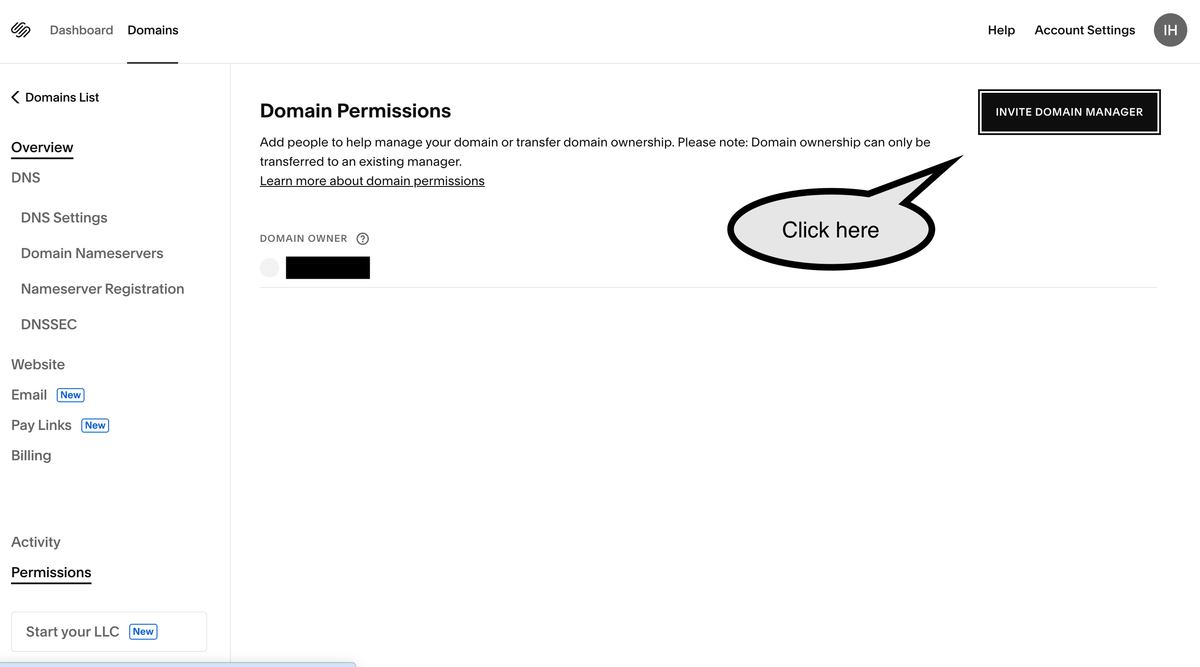
- Click Permissions.
- Click Invite domain manager.
- Enter the domain manager's name 3plains Admin and email address marketing at 3plains.com
- Your domain manager will receive an email invitation asking them to log into their existing Squarespace account or create a new one.
Still need help or don't want to DIY?
We have maintenance service and website update packages available. Please fill out a ticket and a 3plains representative will reach out to you with details on pricing and packages.
Last Updated: 2026-09-10
Back to Domains